

Blog
Stage-gate structure now lives inside every Narratize Product Knowledge Hub. Track progress, take action by stage, and generate the right document at the right time.

Your Product Knowledge Hub already captures everything your team knows about a product. Now it also tracks where that product stands in development — and what needs to happen next.
Workflows brings stage-gate structure directly into your hub. Every stage, every required input, every target output — visible, organized, and actionable in the same place your team already works.
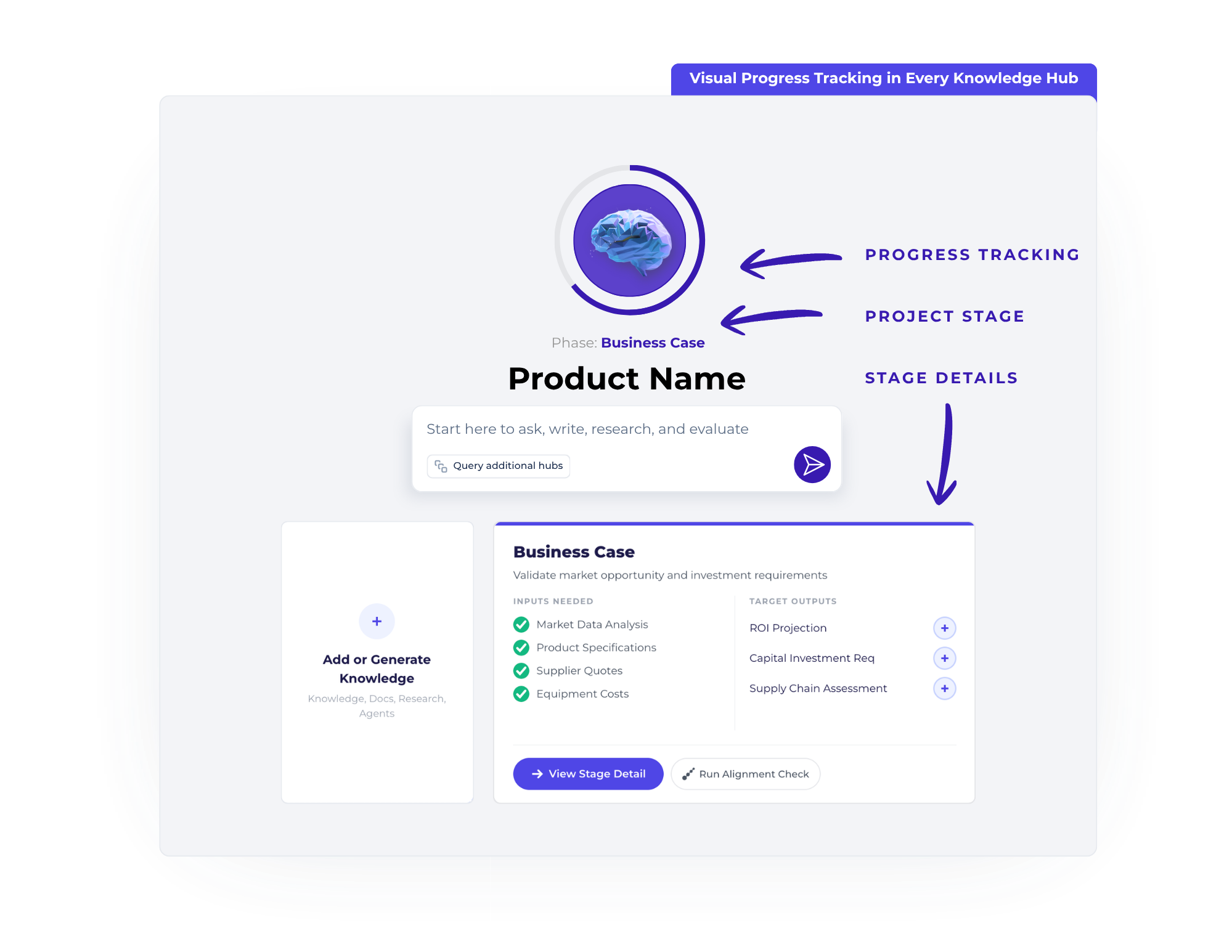
When you open your hub, you’ll see a visual stage-gate progress bar showing the current development phase and completion status at a glance. Each stage displays the inputs needed (knowledge and documentation your team should add) and the target outputs (documents your team should generate) — with real-time status tracking for each.
Discovery. Scoping. Business Case. Development. Testing & Validation. Launch. You’ll always know where you are, what’s done, and what’s next.
.png)
Click into any stage to see exactly what’s required. Need to upload VOC findings? Add them right there. Need to generate a PRD from your hub’s knowledge? Start it from the stage detail view. Every action links to the capabilities you already use — document generation, knowledge upload, AI-powered writing, and research.
Inputs show what knowledge and documentation to bring in. Outputs show what to create. Status indicators track what’s complete, in progress, or not yet started. Assignees show who’s responsible.
.png)
Each stage’s required outputs can map directly to templates in your Narratize template library. When it’s time to generate a feasibility study, product requirements document, or manufacturing cost analysis, the right template is already linked to that stage. Click, generate, and your hub’s complete knowledge base feeds the draft — so every document starts strong instead of from scratch.
Workflows is flexible by design. Hub admins can advance stages even when requirements are incomplete — because real product development doesn’t always follow a linear path. The system flags what’s missing so you make informed decisions, but it never blocks you.
Stage advancement is logged for full audit trails. Every upload, generation, and stage change appears in your hub’s activity feed with stage context, so the full history is always there.
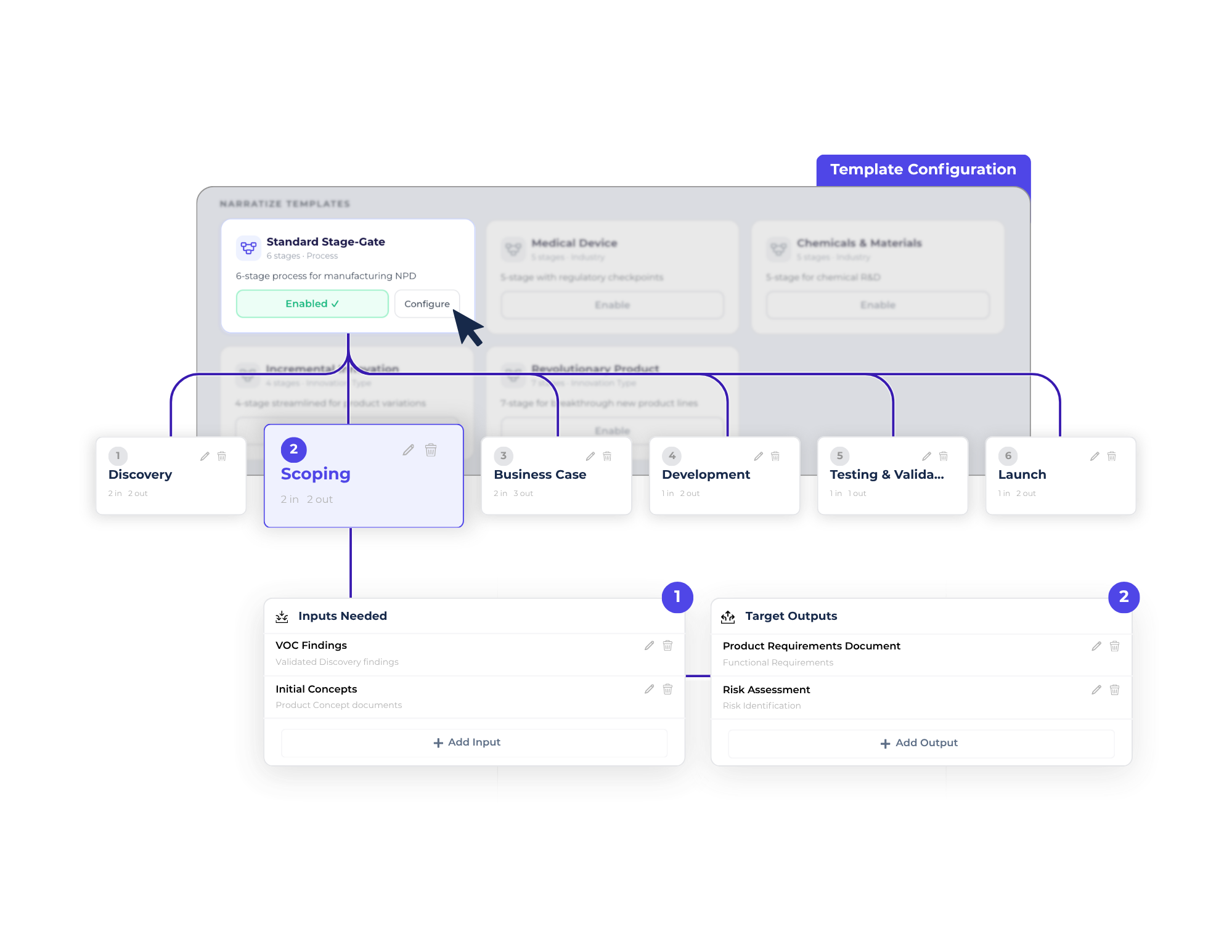
Your organization’s admin defines workflow templates that match your company’s development process using the Workflow Builder. When a workflow is applied to your hub, you inherit that structure automatically. Five industry-ready Narratize templates come built in:
Admins can also build fully custom workflows from scratch and save them as reusable templates for the entire organization.
If your org admin has enabled Workflows for your organization, you’ll see the stage-gate progress view on your hub home. If you’re a hub admin, you can apply any enabled workflow template to your hub.
Questions? Reach out to your Customer Success Manager to walk through setup and best practices.
Workflows is available now for all Narratize customers. Contact your Customer Success Manager to get started.
New to Narratize? Schedule a demo to see Workflows in action.
